

Search opens from the header icon as an inline panel. As the guest types, suggestions appear; pressing Enter opens the search results page. Two settings under Theme settings → Search control the suggestions, and the Search results section controls the page.
Theme settings → Search
- Show suggestions while typing turns predictive search on. Suggestions show products with their image and price, and collections, pages and posts when they match.
- Include pages in suggestions adds your pages (services, locations, team, FAQ) to the suggestions. Keep it on for a booking-led store: guests search for "balayage" and "parking" as often as for products.
Theme settings → Search
Every setting in this group- Show suggestions while typingCheckbox · On
- Include pages in suggestionsCheckbox · On
In the theme editorTheme settings with the Search group open. The settings sheet on this page lists every control in that panel by its label.
The search results section
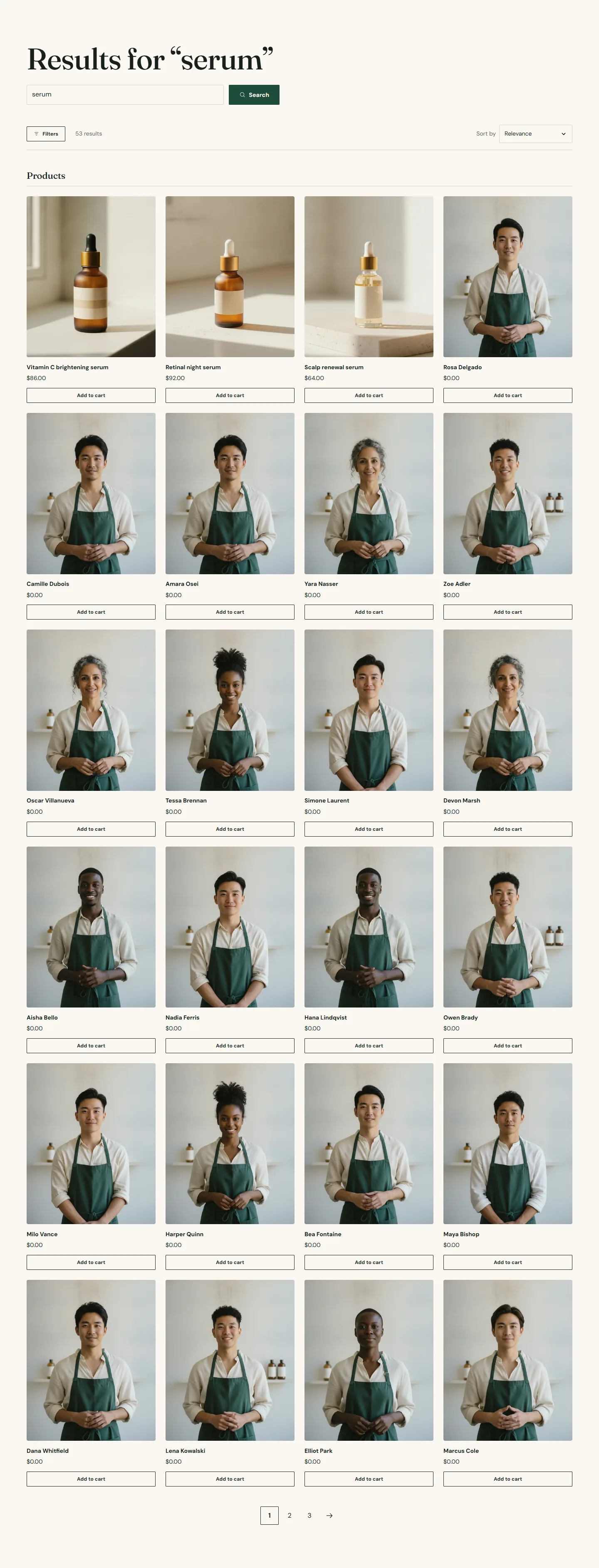
On the search template. Its settings:
- Results layout is Grouped by type or Tabs. Grouped lists products, then pages and posts under their own headings; Tabs shows one type at a time.
- Enable filtering, Filter layout on desktop (Sidebar or Drawer), Expand every filter group, Enable sorting and Show number of results work as on the collection page and apply to product results. Filters come from the Search and Discovery app.
- Columns on desktop and Results per page size the product grid.
- Suggestions heading and the Collection blocks show a few collections before anyone has searched, and on a search with no results.
Search results section
Every setting, with its control and default- Color schemeColor scheme · Scheme 1
- Full widthCheckbox · Off
- Section paddingChoice: None, Small, Regular, Large · Regular
- Results layoutChoice: Grouped by type, Tabs · Grouped by typeGrouped lists products, pages and posts under their own headings. Tabs shows one type at a time.
Filters and sorting
- Enable filteringCheckbox · OnFilters come from the Search and Discovery app and apply to product results.
- Filter layout on desktopChoice: Sidebar, Drawer · Drawer
- Expand every filter groupCheckbox · Off
- Enable sortingCheckbox · On
- Show number of resultsCheckbox · On
Results grid
- Columns on desktopChoice: 2, 3, 4 · 4
- Results per pageSlider: 8 to 48 · 24
Suggestions
- Suggestions headingText · Start with a shelf
Collection block
Up to 8 blocks in the section- CollectionCollection
What is searchable
Shopify's search indexes product titles, descriptions, tags and vendors, page titles and content, and blog posts. Text typed into theme sections (service menus, location details, team blocks) is not indexed by Shopify search. If guests should be able to search your services, give each category its own page and put a sentence of description in the page's own content field.