

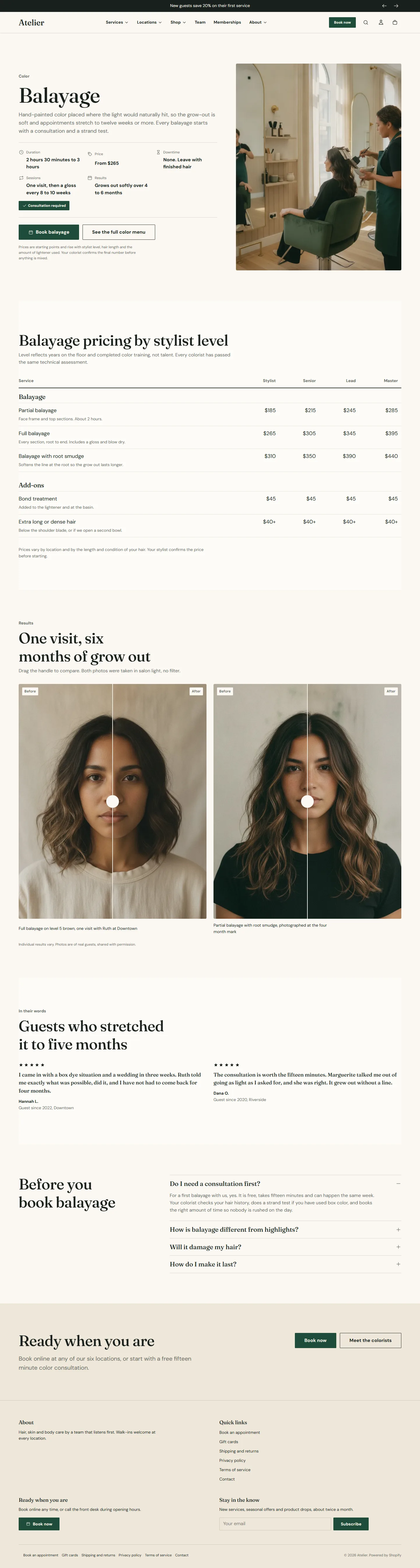
Some services deserve a page of their own: balayage, a signature facial, a hot towel shave. The service template opens with the Service facts section, which turns the page's own title and content into a heading and description and adds the facts a guest wants before booking.
Make the page
- Create a template from service in the theme editor, named after the service.
- Under Online Store → Pages, create the page. The page Title becomes the H1 and the page Content becomes the description, so write the opening paragraph there.
- Set Theme template to your new template and fill in the sections.
Service facts
The section reads the page title and content, so it has no heading field of its own.
- Category is the small label above the service name, for example Color or Skin.
- The facts strip: Duration, Price, Downtime, Sessions and Results. Leave any fact blank to hide it. Write them as a guest would read them: "2 hours 30 minutes to 3 hours", "From $265", "None. Leave with finished hair".
- Consultation required shows a badge so guests know to book a consultation first.
- Booking: Button label (blank uses the label from theme settings), Booking ID, Booking link type (Service, Category, Package or Booking home), Booking center ID, Location name and a Custom booking link that overrides the ID for other providers. Secondary link label and Secondary link add a quieter link, for example to the full menu.
- Media: Media position Right of the text, Left of the text or No media; an Image or a short Video that plays muted on a loop.
- Disclaimer is small muted text under the buttons, for results-vary or pricing notes.
Service facts section
Every setting, with its control and default- Color schemeColor scheme · Scheme 1
- Full widthCheckbox · Off
- Section paddingChoice: None, Small, Regular, Large · Regular
Uses the page title as the heading and the page content as the description. Add this section to a page that uses the service template.
- CategoryText · ColorShown above the service name, for example Color or Skin.
Leave any fact blank to hide it.
- DurationText · 2 hours 30 minutes to 3 hours
- PriceText · From $265
- DowntimeText
- SessionsText
- ResultsText
- Consultation requiredCheckbox · OffShows a badge so guests know to book a consultation first.
- Button labelText · Book this serviceLeave blank to use the label from theme settings.
- Booking IDTextThe provider ID for this service, category or package.
- Booking link typeChoice: Service, Category, Package, Booking home · Service
- Booking center IDTextLeave blank to use the default from theme settings.
- Location nameTextSent with the booking click for analytics. Optional.
- Custom booking linkLinkOverrides the booking ID. Use this for other booking providers.
- Secondary link labelText
- Secondary linkLink
- Media positionChoice: Right of the text, Left of the text, No media · Right of the text
- ImageImageShown beside the text on desktop and above it on mobile. Add alt text to the image in Files.
- VideoVideoPlays muted on a loop and replaces the image when set. Keep it under 20 seconds.
- DisclaimerRich textSmall, muted text under the buttons. Use it for results vary or pricing notes.
Price table
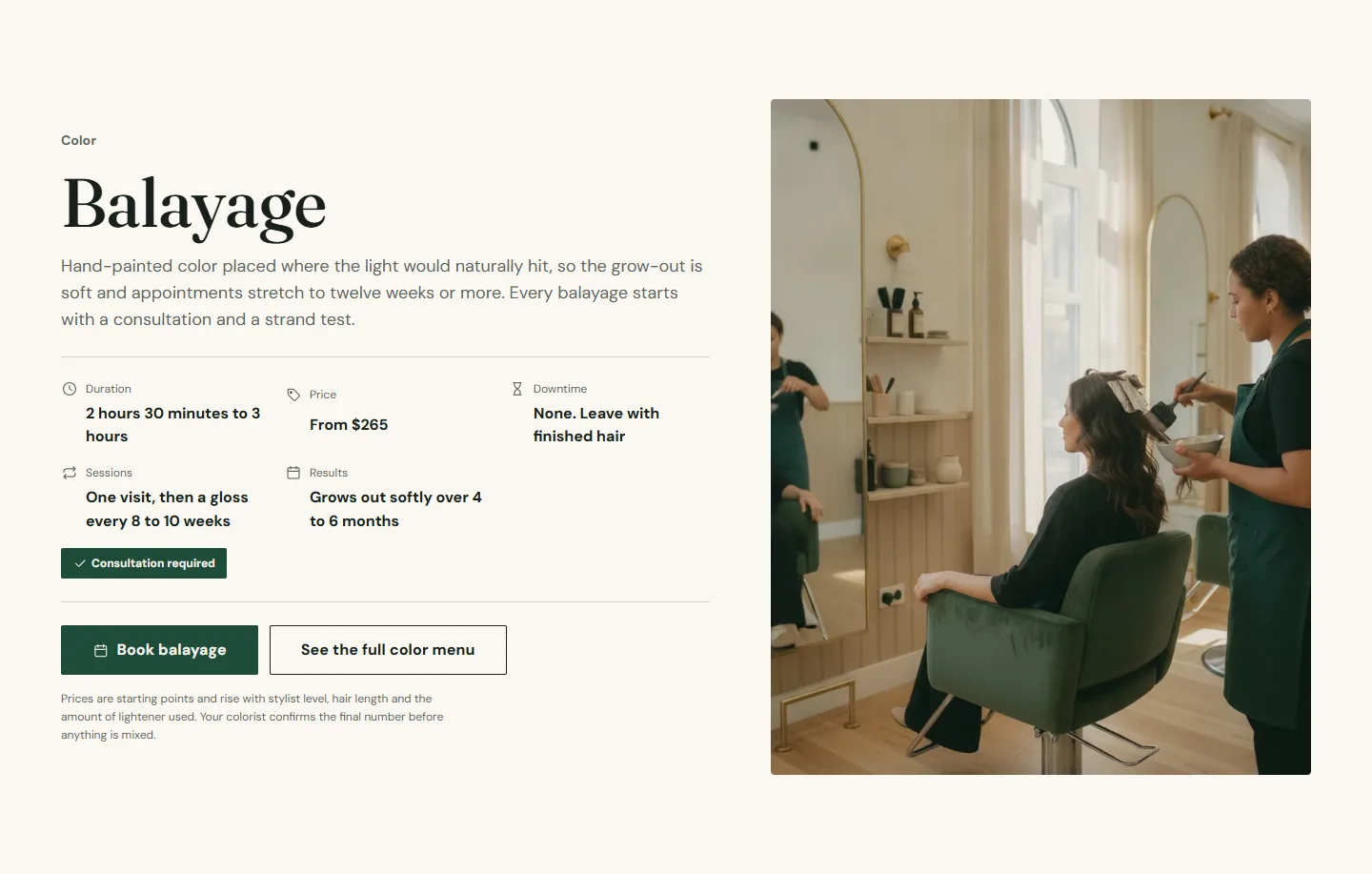
Pricing by stylist level, by member and non-member, or by fill interval. See Price table.
The rest of the page
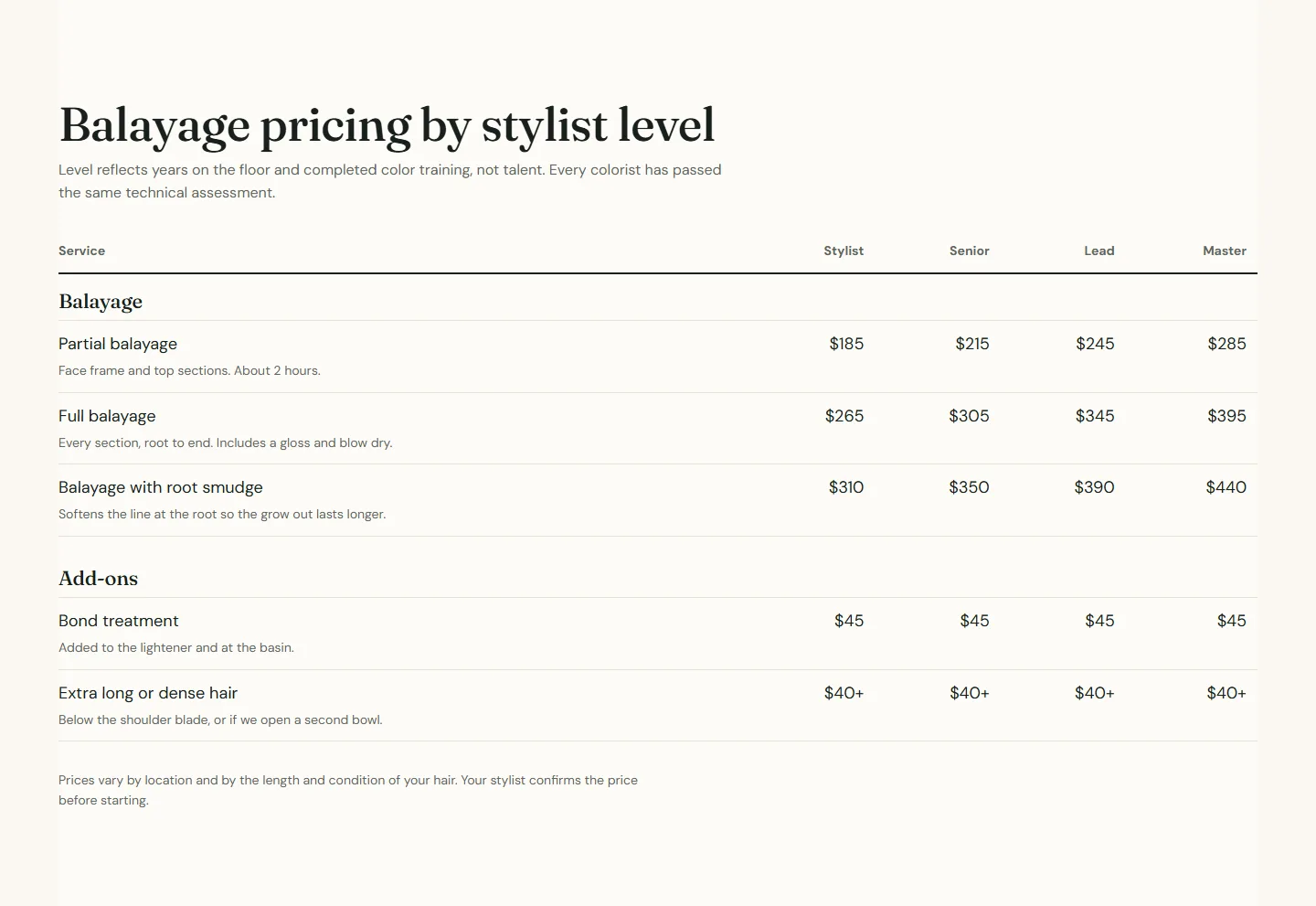
Before and after with pairs from this service, Testimonials in a two-column grid, a FAQ with the questions specific to this service, and a Call to action banner. The banner's booking button opens the booking home page for the default center, so the facts strip at the top is the button that books this exact service.