

Atrium has two places to collect email addresses: the Email signup block in the footer, on every page, and the Email signup section you can add to any page for a bigger ask. Both use Shopify's customer form, so subscribers appear under Customers with email marketing consent, ready for Shopify Email or any connected email app.
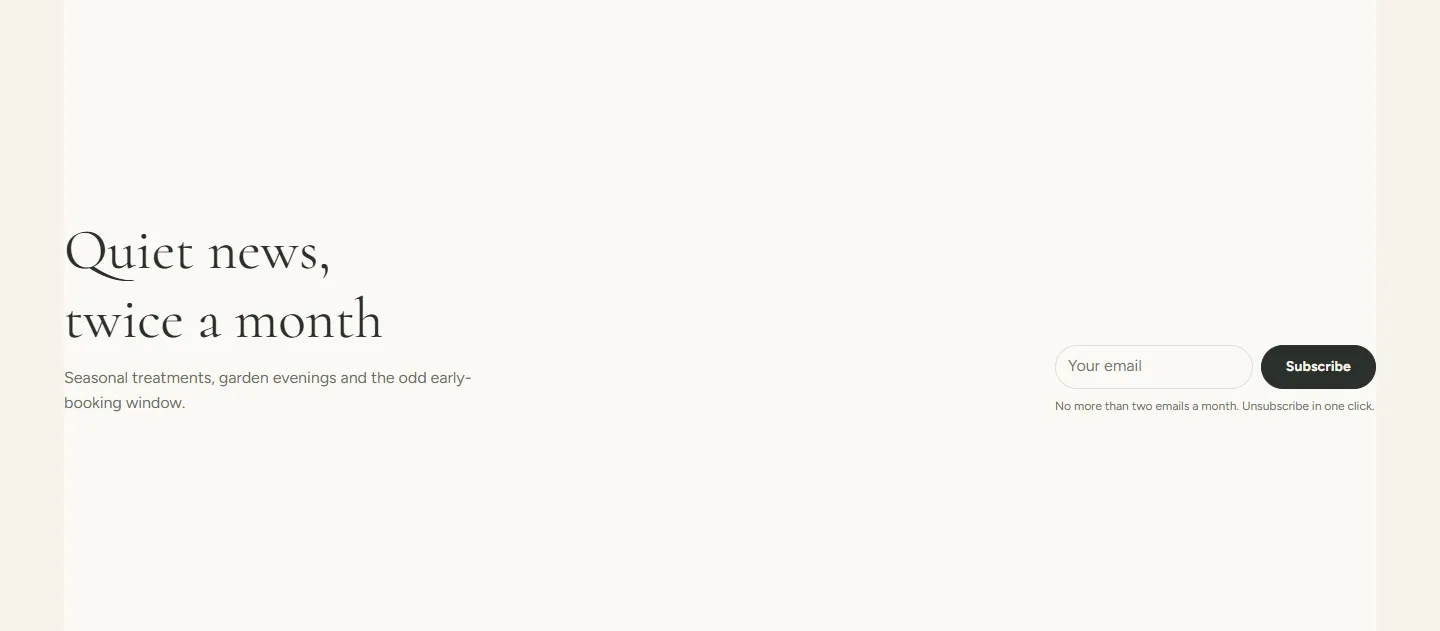
The section
- Eyebrow, Heading and Heading size (Medium, Large, Extra large).
- Text under the heading. Say how often you write and what about; the demo promises one email a month with last-minute openings.
- Button label, Subscribe by default.
- Small print under the form, for example Unsubscribe any time.
- Layout is Text beside the form or Centered.
- Color scheme, Full width and Section padding as on every section. The demo uses scheme 2 so the band reads a shade lighter than the page.
Email signup section
Every setting, with its control and default- Color schemeColor scheme · Scheme 2
- EyebrowText · The list
- HeadingText · Openings, new services, nothing else
- Heading sizeChoice: Medium, Large, Extra large · Large
- TextRich text · One email a month with last-minute openings at your location and the occasional product we cannot keep on the shelf.
- Button labelText · Subscribe
- Small printText · Unsubscribe any time.
- LayoutChoice: Text beside the form, Centered · Text beside the form
- Full widthCheckbox · Off
- Section paddingChoice: None, Small, Regular, Large · Regular
The footer block
The Email signup block on the footer has a Heading and Text and uses the same form. One per footer.
After someone subscribes
The form shows a confirmation in place and the customer is created or updated with Accepts email marketing. There is no double opt-in in the theme; if your region requires it, turn it on in your email app.
Password page
While the store is behind a password, the password page shows its own signup with Show email signup and Signup heading on the Password page section, so you can collect addresses before opening day.