

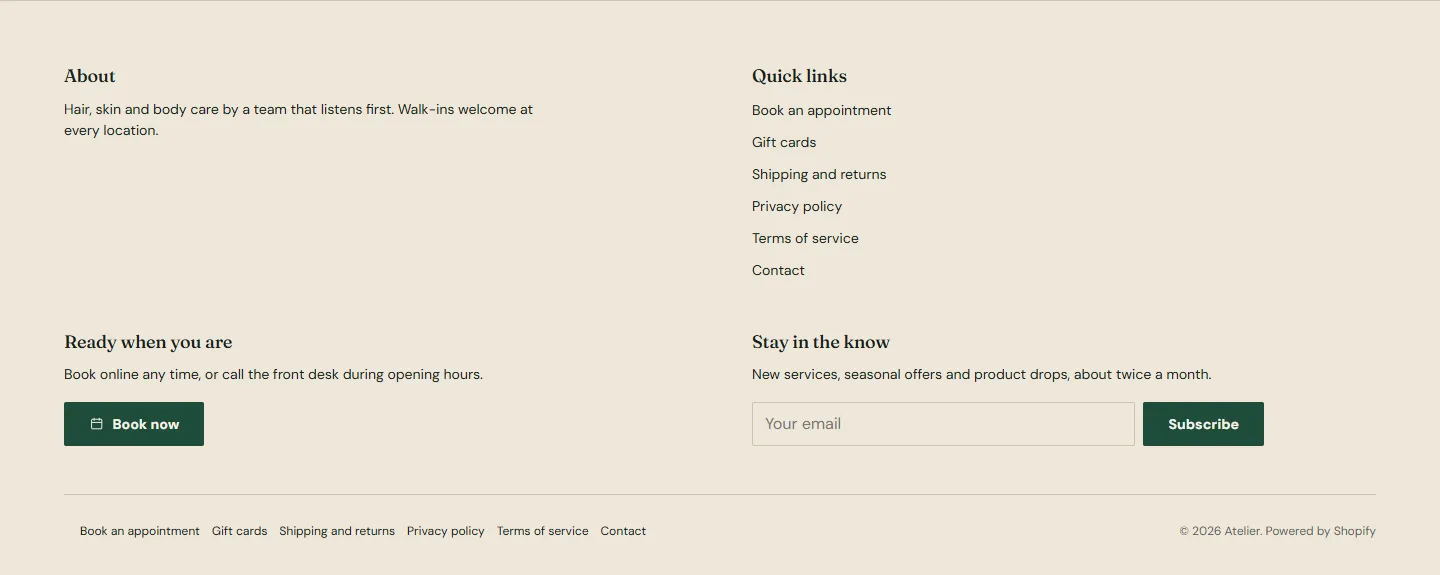
The footer sits in the footer group and shows on every page. It is built from blocks, so you decide which columns appear and in what order, and a bottom row carries the legal links, payment icons and the selectors Shopify Markets needs.
Settings
- Color scheme. The demo uses scheme 3, the deeper page tone.
- Bottom links menu is the small menu in the bottom row, usually your policies. The Footer menu by default.
- Show payment icons shows the payment methods your store accepts, drawn from your payment settings.
- Show country/region selector and Show language selector add the two selectors to the bottom row. Each only appears when your store has more than one country or language enabled under Settings → Markets and Settings → Languages, so leaving them on costs nothing.
Footer section
Every setting, with its control and default- Color schemeColor scheme · Scheme 3
- Bottom links menuMenu · Footer
- Show payment iconsCheckbox · On
- Show country/region selectorCheckbox · OnOnly shows when more than one option is enabled in your store settings.
- Show language selectorCheckbox · OnOnly shows when more than one option is enabled in your store settings.
Menu block
Up to 50 blocks in the section- HeadingText · Quick links
- MenuMenu · Footer
Text block
Up to 50 blocks in the section- HeadingText · About
- TextRich text · Hair, skin and body care by a team that listens first. Walk-ins welcome at every location.
- Show social media iconsCheckbox · On
- Show Follow on Shop buttonCheckbox · OnLets customers follow your store in the Shop app. Appears only when the Shop channel is installed.
Booking block
Up to 1 per section- HeadingText · Ready when you are
- TextRich text · Book online any time, or call the front desk during opening hours.
- Phone numberText
Email signup block
Up to 1 per section- HeadingText · Stay in the know
- TextRich text · New services, seasonal offers and product drops, about twice a month.
In the theme editorFooter section settings. The settings sheet on this page lists every control in that panel by its label.
Blocks
- Menu shows a Heading and a Menu from your navigation. Add one per column you want.
- Text shows a Heading and rich Text, with Show social media icons for the profiles from Theme settings and Show Follow on Shop button, which lets customers follow your store in the Shop app and appears only when the Shop channel is installed.
- Booking, one per footer, shows a Heading, Text, your booking button and a Phone number as a tap-to-call link. Hidden until a booking address is set.
- Email signup, one per footer, shows a Heading, Text and the newsletter form. Subscribers land in your customer list with the marketing consent set.
The bottom row
Copyright line with your store name, the bottom links menu, and the Powered by Shopify link, which Theme Store themes leave in place. Payment icons and the selectors sit on the right.
Column count
The footer lays blocks out in up to four columns on desktop and stacks them on phones. Three or four blocks look balanced; two blocks spread wide.