

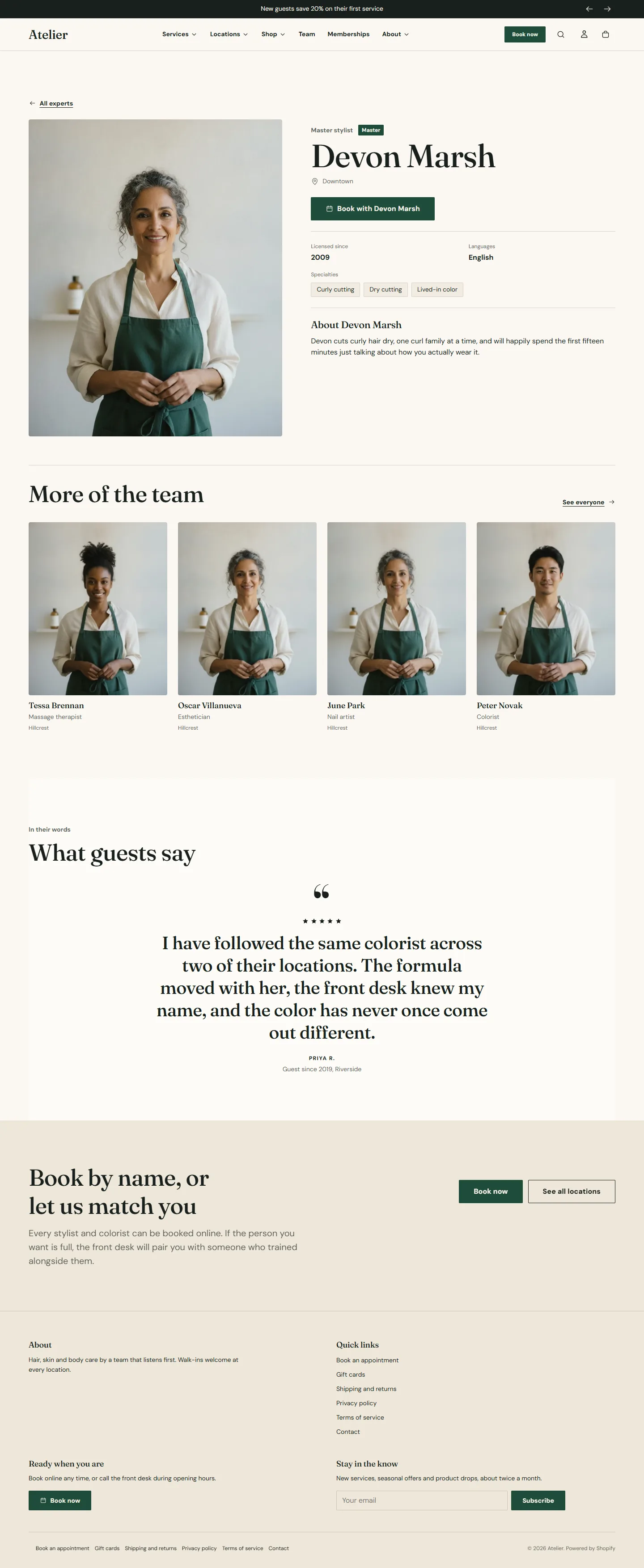
When experts are products, each can have a page: a portrait, the role, location and level, specialties, languages, licensed since, the bio, a Book button and an Instagram button, then more of the team and a quote. The page comes from the expert product template and the Expert profile section on it. No price or cart is ever shown.
Assign the template
Open the product in your Shopify admin and set Theme template to expert in the right-hand column. A product on the default template shows a price and an Add to cart button, which is the most common support question about the directory.
The Expert profile section
- Back link label and Back link, usually All experts and the team page.
- Booking center ID is used when the expert has a booking ID but no booking link; blank uses the default from theme settings.
- The Metafields group: Namespace and the ten keys, the same as on the Team grid. Set them once, the same on both.
Expert profile section
Every setting, with its control and default- Color schemeColor scheme · Scheme 1
- Full widthCheckbox · Off
- Section paddingChoice: None, Small, Regular, Large · Regular
Reads the expert's name, photos and description from the product, and everything else from the metafields mapped below. No price or cart is ever shown.
- Back link labelText · All experts
- Back linkLinkUsually the team page.
- Booking center IDTextUsed when the expert has a booking ID but no booking link. Leave blank to use the default from theme settings.
Use the same namespace and keys as the team grid so both read the same fields.
- NamespaceText · custom
- Role keyText · role
- Location keyText · location
- Level keyText · level
- Specialties keyText · specialties
- Languages keyText · languages
- Licensed since keyText · licensed_since
- Instagram keyText · instagram
- Booking ID keyText · booking_id
- Booking link keyText · booking_urlOptional. A metafield holding a full booking URL for one team member. When it is set, that link replaces the generated booking link for that person.
- Bio keyText · bio
Blocks
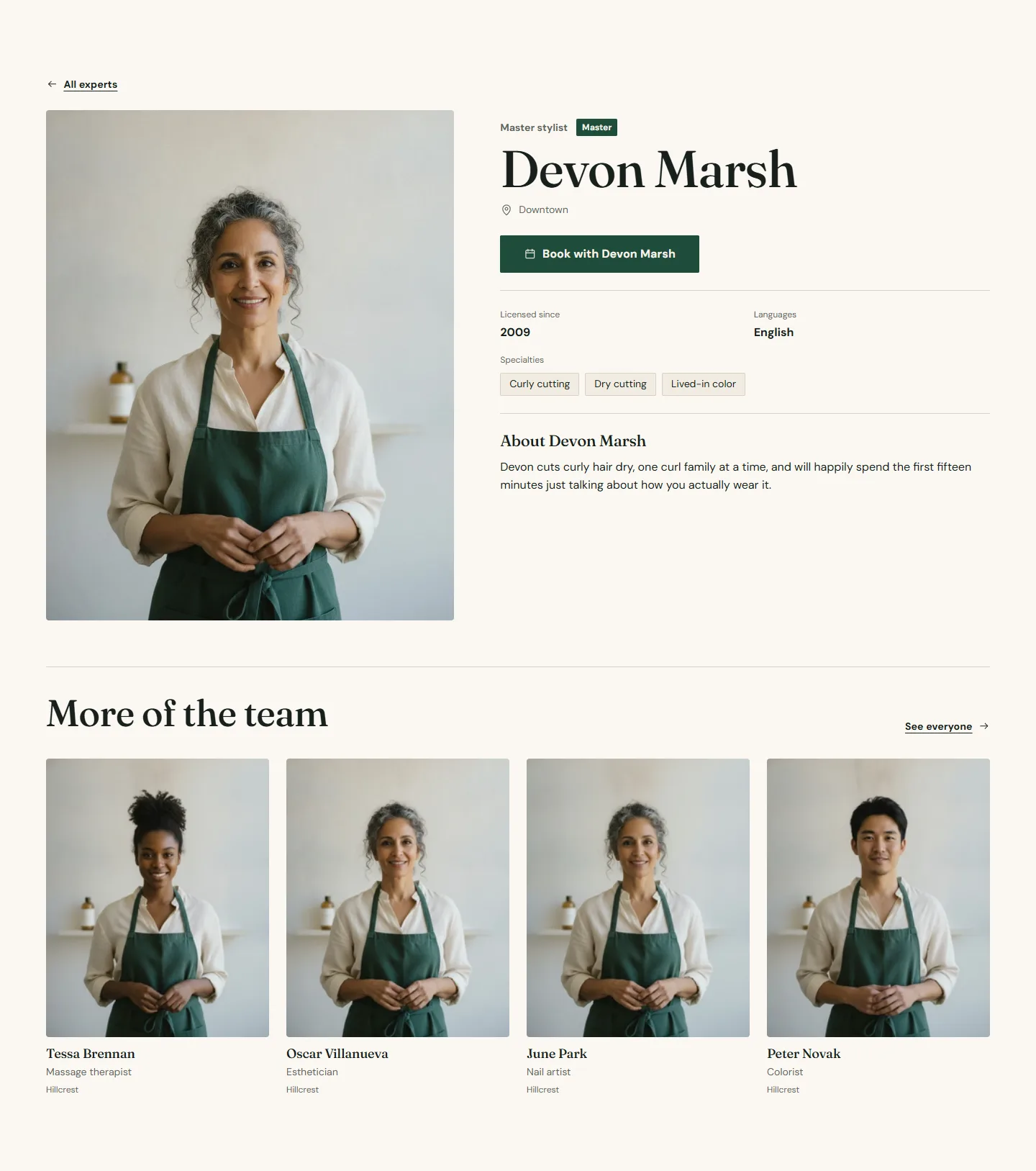
- More of the team shows other experts from the collection below the profile, leaving the current one out. Heading, Collection, Experts to show (2 to 8), Columns on desktop (3 or 4) and a Link label to the team page.
- Custom Liquid renders below the bio: an awards line, a booking note, an app snippet.
- App blocks from installed apps, for reviews or scheduling apps that offer one.
Expert profile section
Every setting, with its control and default- Color schemeColor scheme · Scheme 1
- Full widthCheckbox · Off
- Section paddingChoice: None, Small, Regular, Large · Regular
Reads the expert's name, photos and description from the product, and everything else from the metafields mapped below. No price or cart is ever shown.
- Back link labelText · All experts
- Back linkLinkUsually the team page.
- Booking center IDTextUsed when the expert has a booking ID but no booking link. Leave blank to use the default from theme settings.
Use the same namespace and keys as the team grid so both read the same fields.
- NamespaceText · custom
- Role keyText · role
- Location keyText · location
- Level keyText · level
- Specialties keyText · specialties
- Languages keyText · languages
- Licensed since keyText · licensed_since
- Instagram keyText · instagram
- Booking ID keyText · booking_id
- Booking link keyText · booking_urlOptional. A metafield holding a full booking URL for one team member. When it is set, that link replaces the generated booking link for that person.
- Bio keyText · bio
Custom Liquid block
Up to 50 blocks in the section- Custom LiquidLiquidRendered below the bio. Use it for an awards line, a booking note or app snippets.
More of the team block
Up to 1 per sectionShows other experts from the collection below the profile. The current expert is left out.
- HeadingText · More of the team
- CollectionCollectionThe collection your experts live in, usually the same one the team grid uses.
- Experts to showSlider: 2 to 8 · 4
- Columns on desktopChoice: 3, 4 · 4
- Link labelText · See everyone
The rest of the template
The demo adds a Testimonials section with one quote and a Call to action banner, Book by name, or let us match you. Both are ordinary sections; change or remove them.
Search and the Shop app
Expert products can appear in store search and in the Shop app unless you exclude them. Uncheck the Shop channel on the products, and exclude the collection from search results with the Search and Discovery app if you would rather they were only reachable from the team page.