

Memberships are sold and billed by your booking provider, not by Shopify. The Plans section presents them and sends the guest to the right membership page with one button. Use it for monthly memberships, series packages and day packages alike.
Plan blocks
Up to six.
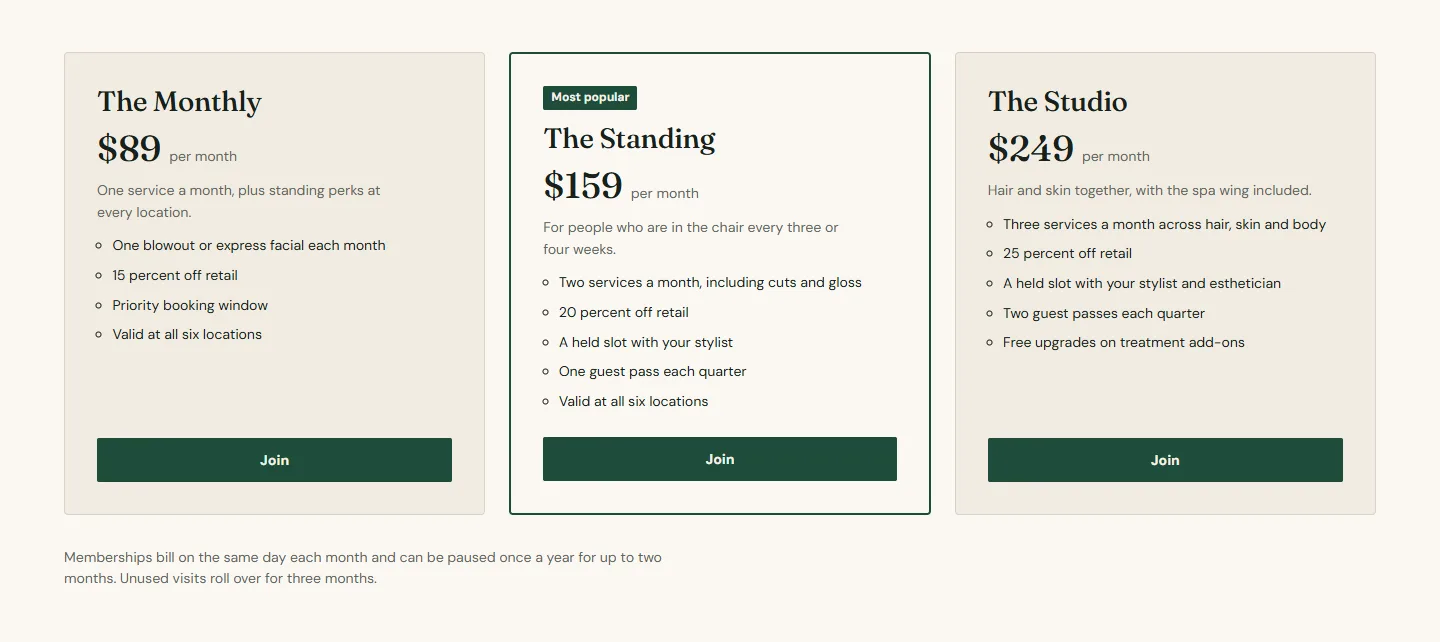
- Name, Price as plain text (for example $89), Billing cadence (per month) and a one-line Description.
- Perks is rich text; write it as a bulleted list and the card shows it as one.
- Feature this plan highlights one plan with the Featured label from the section, Most popular by default.
- Button label, Join by default.
- Booking ID and Link type: Membership for a membership, Series package or Day package for packages, or Booking home, Service or Category. Link replaces the built link for another provider.
Plans section
Every setting, with its control and default- Color schemeColor scheme · Scheme 1
- Full widthCheckbox · Off
- Section paddingChoice: None, Small, Regular, Large · Regular
Heading
- EyebrowText
- HeadingText · Memberships
- Intro textRich text
- Heading alignmentChoice: Left, Center · Center
Layout
- LayoutChoice: Cards, Comparison table · Cards
- Featured labelText · Most popular
- FootnoteText · Memberships bill monthly and can be paused once a year. Unused visits roll over for three months.
Booking
- Location nameText
- Booking center IDTextThe provider ID for this location. Leave blank to use the default from theme settings.
Plan block
Up to 6 per section- NameText · The Monthly
- PriceText · $89Plain text, for example $89. It is not a product price.
- Billing cadenceText · per month
- DescriptionText · One service a month plus standing perks at every location.
- PerksRich text · One blowout or express facial each month 15 percent off retail Priority booking window
- Feature this planCheckbox · Off
- Button labelText · Join
- Booking IDTextThe membership or package ID from your booking provider.
- Link typeChoice: Booking home, Service, Category, Membership, Series package, Day package · Membership
- LinkLinkPoint at another booking provider. It replaces the built link.
Section settings
- Eyebrow, Heading, Intro text and Heading alignment.
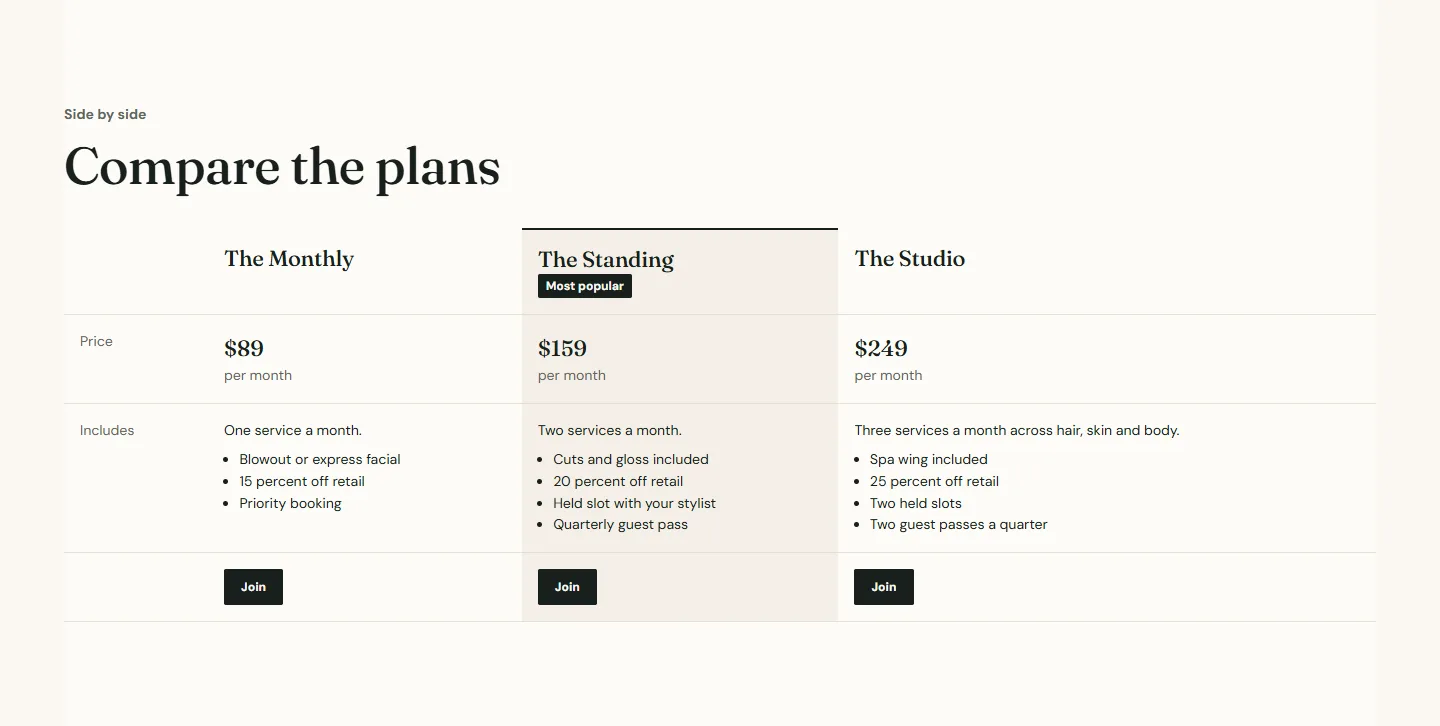
- Layout is Cards or Comparison table. Cards read well for two or three plans; the table lays the same blocks out with perks as rows, which suits four or more or a page that also shows cards, as the demo does under Compare the plans.
- Featured label and Footnote for the billing rules: pauses, rollover, cancellation.
- Location name and Booking center ID for the booking links.
Plans section
Every setting, with its control and default- Color schemeColor scheme · Scheme 1
- Full widthCheckbox · Off
- Section paddingChoice: None, Small, Regular, Large · Regular
Heading
- EyebrowText
- HeadingText · Memberships
- Intro textRich text
- Heading alignmentChoice: Left, Center · Center
Layout
- LayoutChoice: Cards, Comparison table · Cards
- Featured labelText · Most popular
- FootnoteText · Memberships bill monthly and can be paused once a year. Unused visits roll over for three months.
Booking
- Location nameText
- Booking center IDTextThe provider ID for this location. Leave blank to use the default from theme settings.
In the theme editorPlans section settings with the Layout group open. The settings sheet on this page lists every control in that panel by its label.
Packages
A series package is several of the same service bought together; a day package is several services in one visit. Both are Plan blocks with the right Link type and the package ID from Zenoti. The demo's memberships page adds a third Plans section headed Service packages for them.
Member pricing on the menu
If members pay less per service, show it on a price table with Member and Non-member columns and the member column highlighted, and link its footnote to this page.